English
  ไทย
ไทย 

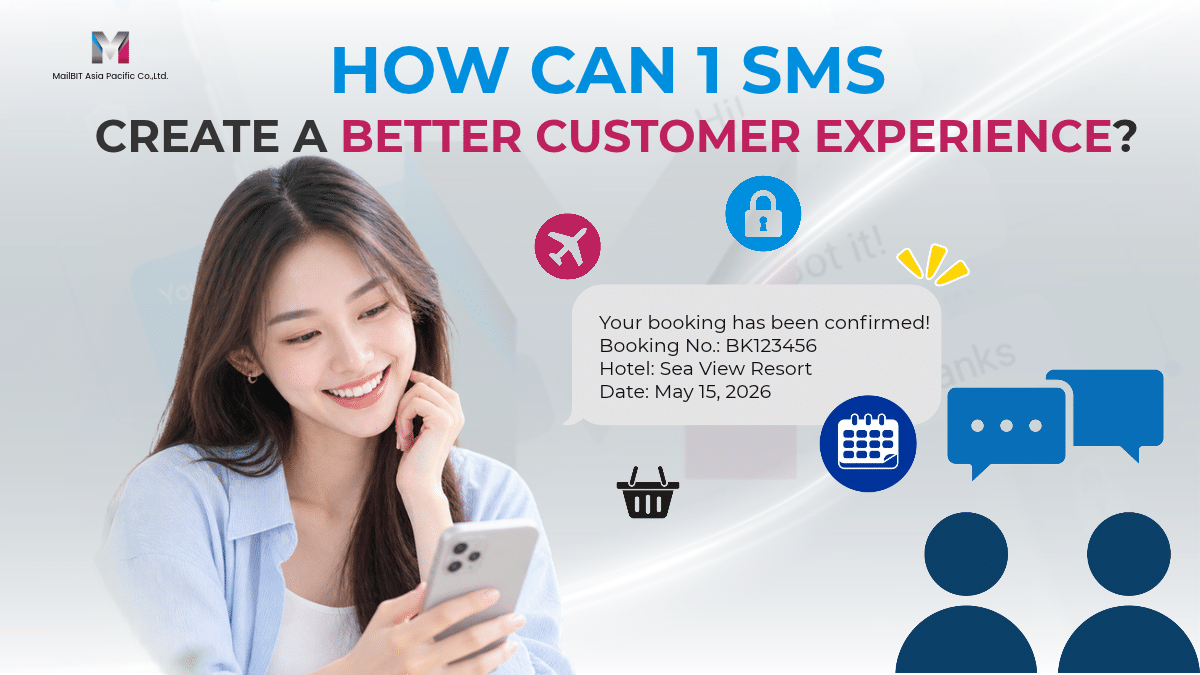
In today’s digital business environment, Customer Experience is not only about having a good product or providing fast customer service. It is also about how quickly and clearly a business communicates with customers throughout their journey.
A simple SMS can become an important part of this experience.
From account registration and OTP SMS to purchase confirmation, delivery updates, appointment reminders, and after-sales communication, SMS can help businesses deliver the right information at the right time.
With a reliable SMS Gateway, businesses can connect their websites, applications, CRM systems, and internal platforms to an automated messaging system. This allows companies to use SMS for Business communication without requiring employees to send every message manually.
SMS Is More Than Just a Text Message
Many businesses still think of SMS mainly as a marketing channel. However, modern Business SMS can support almost every stage of the Customer Journey.
For example, businesses can use:
- OTP SMS for customer verification
- SMS Notification for important updates
- Transaction SMS for payment confirmations
- Booking Confirmation SMS for reservations
- Delivery Notification for order updates
- SMS Marketing for promotions
- Bulk SMS for large-scale communication
- SMS Automation for automated customer journeys
- SMS API for connecting business systems
MailBIT provides solutions covering A2P SMS, SMS Gateway, OTP SMS, SMS Notification, SMS Marketing, Bulk SMS, and SMS API, allowing businesses to manage different types of messaging through one platform.
1. Create a Better First Impression with OTP SMS
The first interaction between a customer and a business can have a major impact on the overall Customer Experience.
When customers register for an account, log in, reset a password, or confirm an action, they may need an OTP SMS.
A fast and reliable SMS OTP can provide customers with the verification code they need without requiring complicated steps.
Businesses can integrate OTP SMS into their websites or applications through an SMS API, allowing verification messages to be triggered automatically.
Learn more about OTP SMS and SMS Verification.
2. Make Purchases More Transparent with Transaction SMS
After a customer completes a purchase, they often want confirmation that their transaction was successful.
This is where Transaction SMS can improve the customer experience.
For example:
Your payment has been successfully received.
Order No. 123456
Thank you for your purchase.
A simple confirmation message can provide immediate information and reduce uncertainty after a transaction.
Businesses can combine Transaction SMS, SMS Notification, and SMS API to automatically send updates when specific events occur within their systems.
3. Improve Booking Experience with Booking Confirmation SMS
For hotels, restaurants, clinics, travel businesses, service providers, and appointment-based businesses, communication after a booking is extremely important.
A Booking Confirmation SMS can include:
- Booking number
- Customer name
- Date and time
- Location
- Service information
- Check-in or appointment details
- Reminder information
Businesses can also use SMS Reminder messages before an appointment or reservation.
This creates another important Customer Touchpoint between the business and the customer.
For businesses using booking systems, SMS API integration can automatically trigger confirmation and reminder messages based on booking information.
4. Keep Customers Updated with SMS Notification
Customers do not always want to contact customer service just to ask for an update.
For this reason, SMS Notification can help businesses provide important information proactively.
Examples include:
- Order confirmation
- Payment confirmation
- Delivery updates
- Appointment reminders
- Service notifications
- Account alerts
- Security notifications
- Transaction alerts
By delivering information directly to customers, SMS Messaging can help reduce unnecessary communication steps and create a smoother Customer Journey.
MailBIT’s platform supports different types of business messaging, including SMS Notification, SMS Alert, OTP SMS, Marketing SMS, and Bulk SMS.
5. Connect SMS with Your Business Systems Using SMS API
One of the most important technologies behind automated business messaging is the SMS API.
An SMS API allows a website, application, CRM, ERP, e-commerce platform, or internal business system to communicate with an SMS Gateway.
For example:
Customer places an order → Business system → SMS API → SMS Gateway → Customer receives SMS
This process can happen automatically without an employee manually sending the message.
Businesses can use an SMS API for:
- OTP verification
- Order confirmation
- Payment notification
- Delivery notification
- Appointment reminders
- Transaction alerts
- Marketing campaigns
- Customer notifications
MailBIT provides SMS API solutions designed to connect business systems with SMS messaging workflows.
Learn more about SMS API Solutions.
6. Automate Customer Communication with SMS Automation
Another way to improve Customer Experience is through SMS Automation.
Instead of sending every message manually, businesses can create automated workflows based on customer actions.
For example:
Sign Up → OTP SMS → Welcome SMS
Purchase → Payment Confirmation → Order Confirmation
Order → Delivery Notification → Delivery Update
Booking → Booking Confirmation → Reminder
After Sales → Service Notification → Customer Feedback
This allows businesses to communicate with customers consistently while reducing repetitive work for internal teams.
Combining SMS Automation + SMS API + SMS Gateway can create a scalable communication workflow for businesses of different sizes.
7. Use Bulk SMS for Large-Scale Customer Communication
When businesses need to communicate with a large number of customers, Bulk SMS can be used for marketing campaigns, announcements, promotions, notifications, and customer updates.
A Bulk SMS Service allows businesses to send large volumes of messages through a centralized platform rather than sending messages individually.
Businesses can use Bulk SMS for:
- Promotional campaigns
- Customer announcements
- Event invitations
- Product launches
- Special offers
- Service updates
- Customer notifications
MailBIT supports Bulk SMS through Web and API, allowing businesses to choose a messaging method based on their operational requirements.
Learn more about Bulk SMS and SMS Marketing Services.
8. Connect Customer Touchpoints with SMS
A strong Customer Experience Strategy should not focus on only one interaction.
Instead, businesses should look at the entire Customer Journey.
For example:
Sign Up
↓
OTP Verification
↓
Purchase
↓
Transaction SMS
↓
Delivery Notification
↓
After-Sales Service
↓
SMS Marketing / Customer Engagement
Each message becomes another Customer Touchpoint.
When these touchpoints are connected through SMS Gateway, SMS API, SMS Automation, Business SMS, and SMS Notification, SMS becomes more than a messaging channel. It becomes part of the overall customer communication strategy.
9. SMS Marketing Can Support Customer Engagement
Customer Engagement does not end after a customer completes a purchase.
Businesses can continue communicating with customers through relevant SMS Marketing campaigns.
Examples include:
- New product announcements
- Special promotions
- Limited-time offers
- Membership benefits
- Loyalty campaigns
- Seasonal promotions
- Personalized offers
When used appropriately, SMS Marketing can become another touchpoint within the customer relationship.
For businesses that already use Customer Engagement, combining SMS Marketing, SMS Notification, Transaction SMS, and Automated SMS can help create a more connected communication strategy.
10. Why Choose an SMS Gateway for Business Communication?
An SMS Gateway acts as a communication bridge between a business system and mobile networks.
Instead of managing different messaging processes separately, businesses can connect their systems to an SMS Gateway and automate different types of messages.
A business may use one messaging infrastructure for:
A2P SMS
OTP SMS
SMS Notification
Transaction SMS
SMS Marketing
Bulk SMS
Business SMS
Enterprise SMS
SMS API
SMS Automation
This makes the communication process more structured and scalable.
MailBIT describes its SMS Gateway as connecting business systems with mobile networks and supporting messaging through Web and API.
From 1 SMS to a Better Customer Experience
A single SMS may look like a small interaction, but it can represent an important moment in the Customer Journey.
A verification code helps customers complete registration.
A Transaction SMS confirms payment.
A Booking Confirmation SMS provides reassurance.
A Delivery Notification keeps customers informed.
An SMS Reminder helps customers remember an appointment.
An SMS Marketing message can bring customers back to a business.
When these messages are connected through SMS Gateway, SMS API, SMS Automation, and Business Messaging, businesses can create a more consistent and connected customer communication experience.
The goal is not simply to send more SMS.
The goal is to send the right message, at the right time, through the right communication workflow.
Build Better Customer Communication with MailBIT
MailBIT provides Business Messaging Solutions for businesses that need reliable communication through A2P SMS, SMS Gateway, SMS API, OTP SMS, SMS Notification, SMS Marketing, Bulk SMS, and SMS Automation.
Whether your business needs SMS Verification, Transaction SMS, Booking Confirmation SMS, Delivery Notification, Marketing SMS, or an Enterprise SMS Solution, the right messaging infrastructure can help connect every stage of the Customer Journey.
Explore MailBIT SMS Gateway and Business Messaging Solutions and discover how SMS for Business can become part of a smarter customer communication strategy.
📱 LINE: @MailBIT
📞 Tel: +66 2-237-7778 | +66 81-300-0958 (Bangkok/Thailand)
🌐 www.mailbit.co.th
#MailBIT #PromotionSMS #SMSMarketing #BulkSMS #SMSAPI #SMSGateway #BusinessSMS #DigitalMarketing #CustomerEngagement #EnterpriseSMS